Etsy & Digital Product Research
How to Write an Etsy Listing Title That Ranks
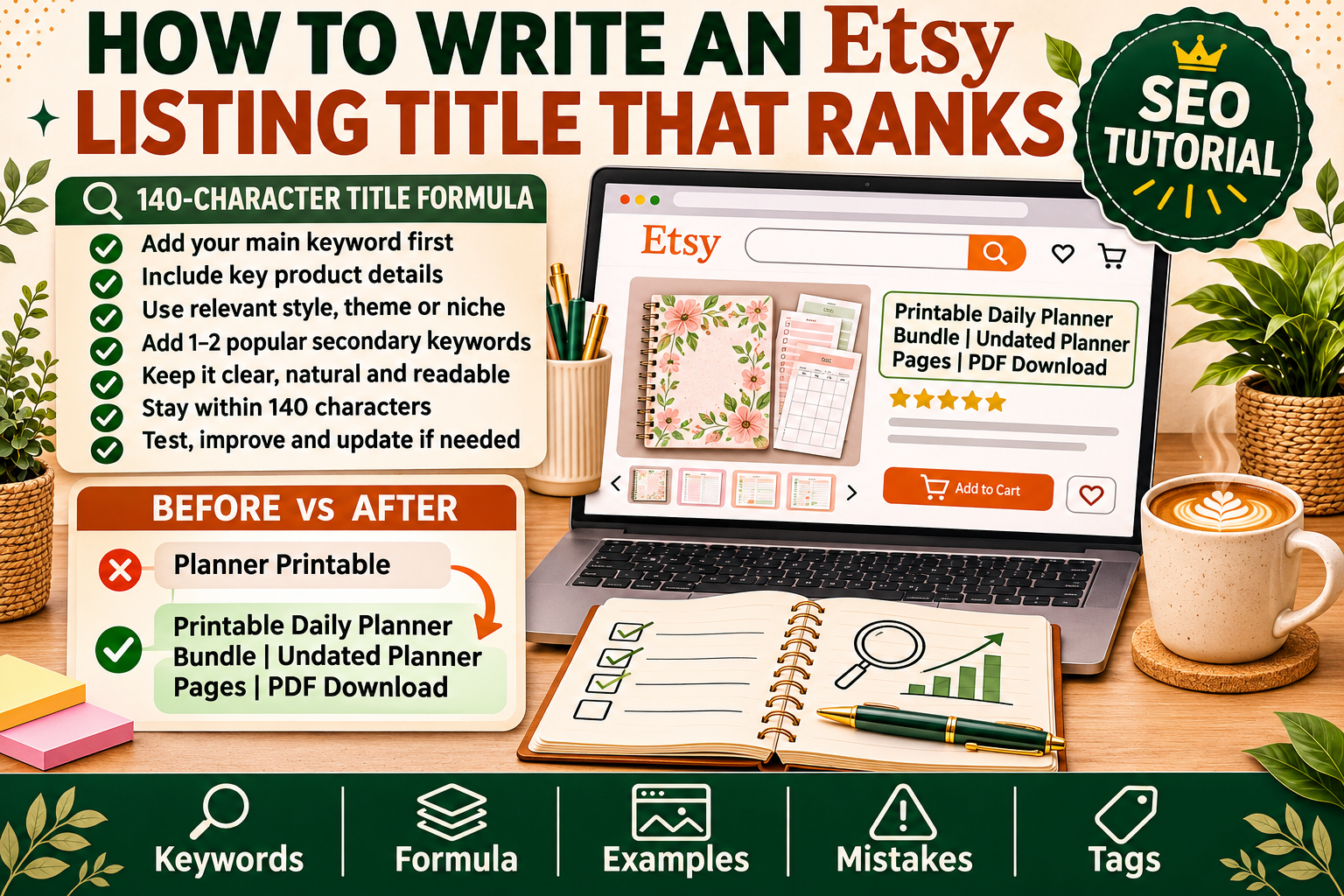
Learn how to write Etsy listing titles that rank in search: the 140-character formula, keyword placement, real examples, and the mistakes that bury listings.
Your Etsy listing title is the single most powerful ranking tool you have — more important than your tags, your description, or even your photos. Etsy search reads your title first, and it only reads the first 140 characters. A title stuffed with the wrong words wastes that space. A title built the right way puts your listing in front of buyers who are already searching for exactly what you sell.
This tutorial walks you through the whole process: how Etsy search actually reads titles, how to find the keywords buyers use, the exact formula for building a 140-character title, real before-and-after examples, and the mistakes that quietly bury listings on page 10.
How Etsy Search Reads Your Title
Etsy search works differently from Google. It does not read your title like a sentence — it scans it for matching keywords, and it gives the most weight to the words at the very beginning.
Three rules explain almost everything about title ranking:
- The first 55 characters matter most. Etsy shows roughly the first 55 characters in search results, and its algorithm weighs early words more heavily. Your most important keyword phrase belongs in the first few words, not buried at the end.
- Exact phrases beat scattered words. A buyer searching for "digital planner goodnotes" will see listings with that exact phrase in the title rank higher than listings that happen to contain "digital," "planner," and "goodnotes" in different places.
- The first 140 characters are all that count. Anything past character 140 is invisible to search. Filler words, repeated keywords, and decorative phrases past that point are wasted space.
There is one more thing beginners miss: Etsy also reads your title for relevance to the buyer's intent. A title that says what the product is, who it is for, and how it is used will match more real searches than a title that is just a list of keywords.
Step 1: Find the Keywords Buyers Actually Type
Never guess your keywords. Etsy hands you the data for free — you just have to look in the right places.
Use Etsy's own search bar
Type the first word of your product into Etsy's search bar and watch the autocomplete suggestions. These are real searches from real buyers, ranked by popularity. Type "digital planner" and you will see suggestions like "digital planner goodnotes," "digital planner ipad," and "digital planner for students." Each suggestion is a keyword phrase worth considering.
Repeat this with every word a buyer might start with: "printable planner," "budget planner," "teacher planner," "weekly planner." Write down every suggestion that fits your product.
Study the top listings in your niche
Search for your main keyword and open the top 10 listings. Read their titles carefully. The phrases that appear again and again across the top listings are the phrases Etsy's algorithm is rewarding. This is not copying — it is market research. Your title will use the same proven phrases, arranged around your own product's specific strengths.
Our tutorial on how to find best-selling digital products on Etsy shows the same research process applied to product ideas — the keyword habits you learn there work for titles too.
Check what buyers search for, not what sellers say
Sellers write "aesthetic minimalist boho" in titles. Buyers search for "planner for ipad" and "printable budget tracker." Your title should speak the buyer's language. If a word only appears in other sellers' titles and never in search suggestions, leave it out.
Build a keyword shortlist
Before you write a title, make a shortlist of 4–6 phrases, ranked by importance:
- Your main keyword — the exact phrase a buyer would type to find your product (e.g. "digital planner goodnotes").
- Your product type + format — what it is and how it is delivered (e.g. "printable budget planner," "hyperlinked pdf planner").
- Your audience or use case — who it is for (e.g. "for students," "for teachers," "for ipad").
- A differentiator — what makes yours different (e.g. "undated," "with habit tracker," "2026 monthly").
Step 2: Use the 140-Character Title Formula
A high-ranking Etsy title follows a simple order. Put the most searchable information first and the least searchable last:
[Main keyword phrase] + [product type/format] + [audience or use case] + [key feature or benefit] + [occasion or variation]
Here is the formula applied to a digital planner:
Digital Planner GoodNotes, Hyperlinked iPad Planner for Students, Undated Weekly Monthly Planner with Habit Tracker
That title is 118 characters. Every word earns its place: the main keyword is first, the format and app are named, the audience is clear, and the feature (undated, habit tracker) gives buyers a reason to click.
A second example, for a printable budget tracker:
Printable Budget Planner, Monthly Budget Tracker Spreadsheet PDF, Personal Finance Planner for Beginners
And a third, for a Canva template:
Canva Wedding Invitation Template, Editable Printable Invitation Suite, Instant Download DIY Wedding Invite
Notice what these titles do not contain: no "BEST SELLER," no "CUTE!!!" and no string of single words separated by commas. Etsy reads phrases, not word salad.
Step 3: Write the Title (Character by Character)
Now sit down and build your title. Work through it in this order:
- Write your main keyword phrase first. This is the phrase from your research with the highest search volume that still describes your product accurately. It goes in the first 3–5 words, always.
- Add the product type and format. "Digital planner," "printable wall art," "Canva template" — the words that tell Etsy (and the buyer) what the thing is.
- Name the app, platform, or file type if it matters. For digital products this is often a search term in itself: "goodnotes," "ipad," "pdf," "canva template," "google sheets."
- Add the audience or use case. "For teachers," "for small business," "for brides," "for students." This is how you win searches from buyers who know exactly who they are shopping for.
- Add one feature or benefit. "Undated," "instant download," "hyperlinked," "editable," "with stickers." Pick the feature buyers ask about most.
- Fill remaining space with a second keyword phrase — a related search term from your shortlist that you have not used yet. Stop at 140 characters; never go over, and do not pad with filler to reach 140 if you run out of real keywords.
A worked example: from weak to strong
Here is a real-style before and after for the same product — a hyperlinked digital planner for iPad:
Before (weak):
Cute Planner | Aesthetic Digital Planner for iPad | Pretty Journal | Instant Download | GoodNotes Planner
Problems: the main keyword "digital planner goodnotes" never appears as a phrase, "cute" and "pretty" are not search terms, and the title wastes space on words no buyer types.
After (strong):
Digital Planner GoodNotes, Hyperlinked iPad Planner with Monthly Weekly Daily Pages, Undated Digital Journal
Improvements: the exact phrase "digital planner goodnotes" is first, the format (hyperlinked, iPad) is named, the contents are described, and "undated" answers a question buyers always ask.
Title Examples for Common Digital Products
Use these as templates — swap in your own product, audience, and features:
| Product | Strong title example |
|---|---|
| Digital planner | Digital Planner GoodNotes, Hyperlinked iPad Planner for Students, Undated Weekly Monthly Planner |
| Budget tracker | Printable Budget Planner, Monthly Budget Tracker PDF, Personal Finance Organizer for Beginners |
| Canva template | Instagram Post Templates Canva, Editable Social Media Template Pack for Small Business, 50 Designs |
| Wedding invitation | Wedding Invitation Template Canva, Editable Printable Wedding Invite Suite, Instant Download |
| Teacher worksheets | Printable Teacher Worksheets, Classroom Activity Pack for Elementary Students, Instant Download PDF |
| Resume template | Resume Template Canva, Editable Professional CV Template, Modern Job Application Resume Instant Download |
| Wall art printable | Printable Wall Art, Boho Abstract Poster Set, Modern Living Room Decor, Instant Download |
| Meal planner | Weekly Meal Planner Printable, Meal Planning Template PDF, Grocery List Organizer for Families |
Each one follows the same pattern: main keyword first, product type second, audience or use case third, a feature last. None of them wastes characters on hype words.
7 Mistakes That Bury Your Listing
Even sellers who know the formula lose rankings to avoidable mistakes. Check your title against this list before you publish:
- Keyword stuffing with commas. "Planner, Digital Planner, GoodNotes Planner, iPad Planner, Planner PDF" reads as spam to Etsy's algorithm and to buyers. Use each keyword phrase once, in a natural order.
- Leading with your shop name or a cute word. "The Cozy Corner — Cute Digital Planner..." wastes the highest-value characters on words nobody searches for. Your shop name belongs in your shop, not in your title.
- Repeating the same word three times. Etsy counts a word once. Repeating "planner" five times does not make you rank five times higher — it steals space from other keywords.
- Using words buyers never search. "Aesthetic," "dreamy," "magical," "boho vibes" might describe your style, but they are not search terms. Save style words for your photos and description.
- Copying a bestseller's title word for word. Etsy can spot duplicate titles, and buyers compare listings side by side. Use the top listings as research, then write your own title around your product's real differences.
- Leaving the title half empty. A 60-character title throws away 80 characters of ranking space. If you have real keywords left on your shortlist, use them.
- Forgetting the file type or app. A buyer searching for "goodnotes planner" will not find your listing if your title never says GoodNotes. For digital products, the app or format is often part of the search itself.
Titles, Tags, and Descriptions Work Together
Your title does not rank alone. Etsy matches a buyer's search against your title, your tags, your categories, and your description — in that order of importance. A strong title with weak tags still underperforms, so use the same keyword research across all three:
- Tags: use all 13 tags. Repeat your title's main keyword phrases as multi-word tags ("digital planner goodnotes" is one tag, not three). Fill remaining tags with the phrases from your shortlist that did not fit in the title.
- Description: put your main keyword phrase in the first two sentences. Etsy reads the description too, and buyers decide in seconds whether your listing matches what they searched for.
- Categories and attributes: choose the most specific category Etsy offers, and fill in every attribute (color, style, occasion). Attributes feed Etsy's filters, which is a second way buyers find you.
- Photos: your title gets the click only if the thumbnail earns it. A clear mockup that shows the product in use matters as much as the words. See our tutorial on how to create mockups for Etsy listings in Canva (free) to make listing images that match a strong title.
For a broader look at what makes a listing sell — including pricing and photos — read our guide to the best-selling digital products on Etsy. And when your title is bringing in traffic, make sure your price is right too: our guide to pricing digital products covers fees and pricing psychology.
FAQ
How long should an Etsy listing title be?
Use as much of the 140 characters as you can with real keywords — aim for 120–140 characters. Short titles waste ranking space, but do not pad with filler words just to hit 140.
Should I put my shop name in the title?
No. Nobody searches for your shop name unless they already know you, and it steals the highest-value characters at the start of your title. Etsy shows your shop name next to the listing anyway.
Can I use the same title for similar listings?
No — each listing should have its own title built around its own main keyword. Duplicate titles confuse Etsy's algorithm and make your listings compete with each other instead of with other sellers.
How often should I change my listing title?
Give a new title at least 2–4 weeks before judging it — Etsy needs time to re-index and test the change. If a listing is getting impressions but no clicks, the title or thumbnail is the problem; if it is getting no impressions at all, the keywords are wrong. Change one thing at a time so you know what worked.
Do capital letters or symbols help a title rank?
No. Capitalization and symbols like |, ★, or ♥ do not affect ranking, and they make titles harder to read in search results. Use normal title case, separate phrases with commas, and let the keywords do the work.
What if my product has no obvious search keyword?
Every product has one — it is the phrase a buyer would type if they wanted it. Search Etsy for your product type, read the autocomplete suggestions and the top listings' titles, and test the phrases that keep appearing. Our guide on how to find best-selling digital products on Etsy walks through that research step by step.
Final Thoughts
A ranking Etsy title is not clever writing — it is research, written in the buyer's own words, in the right order. Find the phrases buyers actually type, put the strongest one first, follow it with the product type, the audience, and one real feature, and use the full 140 characters. Then do the same work in your tags and description, and let your mockups earn the click.
Write your next title with this formula, give it a few weeks, and check your stats: if impressions climb, the keywords were right. If clicks climb too, the title and the thumbnail are working together — and that is exactly what a listing that ranks looks like.
Related Reading
- How to Find Best-Selling Digital Products on Etsy — the keyword research behind every good title.
- How to Create Mockups for Etsy Listings in Canva (Free) — listing images that earn the click your title wins.
- Best-Selling Digital Products on Etsy 2027 — what sells, and why.
- How to Price Digital Products — fees, psychology, and pricing strategy.