Blog
Income Reports & Real Costs of a Small Digital Product Shop
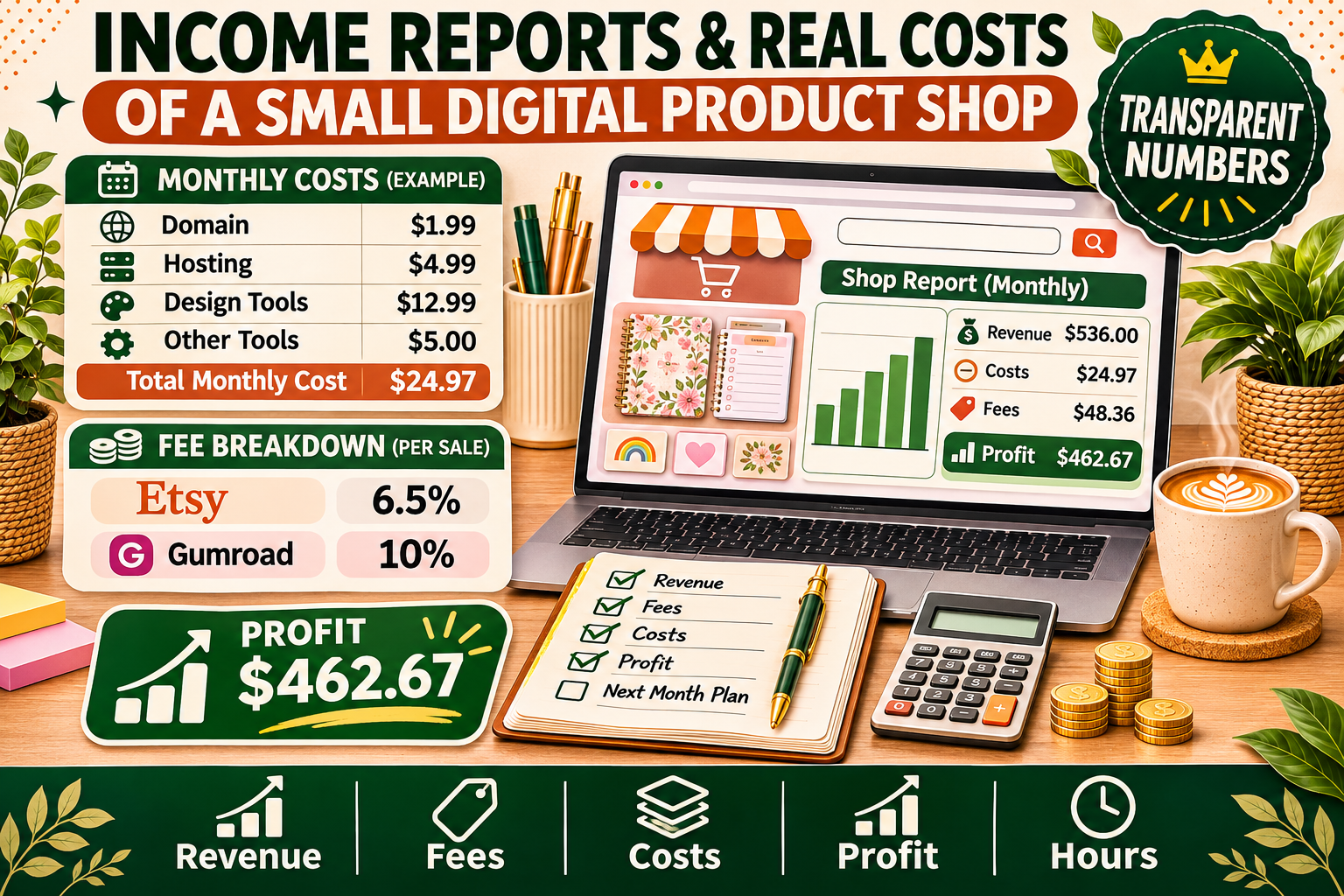
What does a small digital product shop really earn — and what does it cost to run? A transparent look at fees, tools, and realistic first-year numbers, plus a template for your own income report.
Search "how much do digital product sellers make" and you will find two kinds of answers: screenshots of five-figure months, and silence. The screenshots are usually from sellers with years of listings, an email list, and a back catalogue. The silence is from everyone else — the small shops selling a handful of templates and planners, wondering whether their numbers are normal.
This post is for the second group. It explains what an income report actually is, what a small digital product shop really costs to run, what realistic first-year numbers look like, and how to write your own income report — even if your first month's revenue is $0.
One promise up front: every number in the example below is labelled as an illustrative example, built from real platform fees and typical tool prices. It is not a claim about DigiDown's revenue, and it is not a promise about yours. Real transparency means showing the maths, not just the headline.
What Is an Income Report (and Why Small Sellers Publish Them)
An income report is a public breakdown of what a shop earned, what it spent, and what it kept in a given month. The honest ones include all three numbers. A report that only shows revenue is a marketing post, not a report — revenue is what customers paid you, and profit is what you kept after fees, tools, and taxes.
Small sellers publish them for three practical reasons:
- Trust. Beginners are (rightly) suspicious of income screenshots. A report that shows $47 in revenue and $31 in costs earns more credibility than a cropped dashboard showing $10,000.
- Decision-making. Writing the numbers down every month forces you to see which products actually make money and which ones only look busy.
- Content that earns links. Transparent, realistic numbers get shared in seller communities far more than another "10 passive income ideas" listicle — which is why income reports are one of the few post types that can earn backlinks for a small shop.
If you have never published one, start with a private version. Track one month properly first; publish it when you are comfortable with the numbers, good or bad.
The Real Costs of Running a Small Digital Product Shop
The biggest myth about digital products is that they cost nothing after you make them. The product file itself costs nothing to duplicate — but the shop around it does not run for free. Here is what a typical small shop actually pays, per month, in the first year.
| Cost | Typical range | Notes |
|---|---|---|
| Etsy listing fees | $0.20 per listing, per 4 months | Plus 6.5% transaction fee and ~3% + $0.25 payment processing on every sale |
| Gumroad fees | 10% flat on each sale (plus payment processing) | No monthly fee on the free plan; the fee comes out of every sale |
| Canva Pro | ~$15/month (or ~$120/year) | Free Canva works, but Pro unlocks background remover, brand kit, and commercial-use assets |
| Domain + website | ~$1–2/month for a domain; ~$5–20/month hosting | A simple site or a free Gumroad page can replace hosting at the start |
| Email tool | $0–20/month | Free tiers cover most beginners until the list passes ~500–1,000 subscribers |
| Mockups / stock assets | $0–15/month | Free tools exist; paid mockup packs are a one-off cost, not a subscription |
| Ads (optional) | $0–100/month | Most small shops should start at $0 and only test ads after a product already sells organically |
| Typical first-year total | ~$20–60/month | Before platform fees, which scale with sales |
Two costs beginners forget most often: renewal fees and taxes. Etsy listings expire after four months and cost $0.20 to renew whether they sold or not — 50 listings means $10 every four months just to stay visible. And platform fees are not your only deduction: set aside 15–25% of profit for tax, depending on where you live, or the first profitable month becomes an unpleasant surprise at year-end.
For a deeper breakdown of how fees shape your prices, read our guide on how to price a digital product — the fee maths there is the same maths that belongs in an income report.
A Realistic First-Year Example (Illustrative)
Below is an illustrative example of a small shop's sixth month — not DigiDown's numbers, and not a promise. It is built from the fee rates in the table above and from the sales volume a part-time beginner shop can plausibly reach: a handful of listings, a few sales a week, average order value around $12.
| Line | Amount |
|---|---|
| Gross sales (14 orders × ~$12) | $168 |
| Etsy transaction fees (6.5%) | −$10.92 |
| Etsy payment processing (~3% + $0.25/order) | −$8.54 |
| Listing fees + renewals | −$4.00 |
| Canva Pro (monthly share) | −$12.50 |
| Email tool (free tier) | $0 |
| Ads | $0 |
| Net profit before tax | ~$132 |
Three things worth noticing. First, platform fees took about 12% of revenue before any tool cost — fees are the largest single cost for a small shop. Second, the fixed tool cost ($12.50 for Canva) is small in absolute terms but eats nearly 10% of a small month's profit; that is why keeping subscriptions lean matters more than chasing the cheapest listing fee. Third, $132 of profit in month six is a good result for a part-time beginner shop. The sellers posting $5,000 months usually have 100+ listings, a year or more of history, and traffic from Pinterest, YouTube, or an email list — not a better product, just a bigger machine.
If your month looks smaller than this example, that is normal. The first three months of most small shops are $0–$50 of revenue, and that is not failure — it is the period when listings are still being indexed and the shop has almost no traffic yet. Our 14-day launch checklist covers what to do in those early weeks instead of staring at the dashboard.
Where the Money Actually Goes: The Fee Maths
Fees are the part of an income report that surprises beginners most, so here is the same $12 sale on the two platforms beginners use most:
- On Etsy: $12.00 − $0.78 transaction fee (6.5%) − $0.61 payment processing (3% + $0.25) = $10.61 before listing costs. Add the $0.20 listing fee and you keep about $10.41, or ~87% of the sale price.
- On Gumroad: $12.00 − $1.20 Gumroad fee (10%) − payment processing = roughly $10.50 kept, or ~87–88% of the sale price.
The platforms end up surprisingly close for a $12 product — the real difference is traffic. Etsy brings buyers to you (and charges for it); Gumroad keeps more of the sale only if you bring your own audience. That is the trade-off to weigh when choosing where to sell, and it is also why so many sellers eventually use both. Our comparison of Etsy vs Gumroad vs Stan Store walks through that decision in detail.
One more cost that never appears on a platform dashboard: your time. A template that took 10 hours to make and sells 5 copies at $12 has earned $60 for 10 hours of work — $6 an hour, before fees. Income reports that ignore time make every product look profitable. The fix is simple: note the hours next to the revenue. Products that sell repeatedly are where the hourly rate finally climbs, which is exactly why turning one template into a bundle is one of the highest-return moves a small shop can make.
5 Numbers to Track Every Month
You do not need accounting software. A spreadsheet with these five rows, updated once a month, is a complete income report for a small shop:
- Gross revenue — everything customers paid, before any deduction.
- Platform fees — transaction fees, payment processing, and listing/renewal fees, kept separate from tool costs so you can see which platform is eating more.
- Tool and subscription costs — Canva, email, hosting, domain, mockups. List each one; subscriptions you forgot about are the classic leak.
- Net profit — revenue minus fees minus tools. This is the only number that matters for "is the shop working?"
- Hours worked — design, listing, customer messages, promotion. Divide profit by hours for your real hourly rate.
Our free Budget Planner Pro is built for personal budgeting, but the same habit — writing every number down monthly — is what makes a shop's income report honest. If you want a ready-made starting point, copy the table in the example above and replace the numbers with your own.
How to Write Your Own Income Report
- Pick a fixed day. The 1st or the last day of the month, every month. Consistency matters more than the date.
- Pull revenue from each platform. Etsy, Gumroad, and your own site each have a payments or sales report — use those numbers, not your memory.
- List every cost, including the small ones. Renewal fees, the $0.25 per-order charges, the stock photo you bought once. Small costs are the ones that get forgotten and then add up to 5–10% of revenue.
- Show the maths. Revenue − fees − tools = profit. Show the subtraction; readers trust a report they can check.
- Add one honest sentence about what changed. "Listings went from 12 to 20, and two old planners started selling after I rewrote their titles." That sentence is more useful than any chart.
- Publish it, or keep it private. A private report still does the decision-making job. Publish it when you want the trust and the backlinks — and only ever publish numbers you can stand behind.
What Income Reports Don't Tell You
A good income report is honest, but it still has limits — and knowing them keeps you from drawing the wrong conclusions from someone else's:
- They hide the runway. A "$3,000 month" rarely mentions the 18 months of $50 months that built the listings, the email list, and the traffic behind it.
- They hide the traffic source. Revenue without traffic data tells you nothing about how to repeat it. Ask: where did the buyers come from — Etsy search, Pinterest, an email list?
- They hide refunds and chargebacks. Gross revenue is not what stayed in the bank. Always look for the net figure.
- They hide survivorship bias. The sellers who publish income reports are the ones who made money. Thousands of shops that earned nothing never write a post about it — so the average income report you read is far above the average shop.
Read other sellers' reports as case studies, not benchmarks. Compare your shop against your own last month, not against someone's best month.
Frequently Asked Questions
How much does a beginner digital product shop really make in the first year?
Most part-time beginner shops earn $0–$200 a month in the first six months, with profit lower than revenue by roughly 15–30% after fees and tools. A small number reach $500+ a month within a year, usually because they publish many listings, drive Pinterest traffic, or already have an audience. Treat any "first month $5,000" claim with scepticism unless the seller shows the traffic and the timeline behind it.
What are the biggest hidden costs?
Listing renewal fees on Etsy, payment-processing charges on every order (including the $0.25 fixed charge that hurts small orders most), subscription creep — Canva, email, mockups, stock assets — and tax. The fix is the monthly report itself: costs you write down stop being hidden.
Should I publish my income report if I only made $20?
Yes — that is exactly the kind of report beginners need to see. A $20 month with the full maths shown helps other sellers far more than a $2,000 month with no costs listed. Just be accurate, show the costs, and say what you are changing next month.
Do I need an accountant for a small digital product shop?
Not at this size, but you do need records: monthly revenue, fees, and costs, saved in one place. If revenue grows past a few hundred dollars a month, or you start selling in multiple countries, a short consultation with a local accountant is money well spent — tax rules for digital sales vary by country and by platform.
The Bottom Line
A small digital product shop is a real business with real costs — just smaller ones than a physical shop. The sellers who last are not the ones with the biggest first month; they are the ones who know their numbers, keep their costs lean, and improve one thing a month: more listings, better titles, a bundle, a new traffic channel.
Start your own income report this month, even if the numbers are small. In six months you will have something far more valuable than a screenshot: a record of what actually worked.
Want a place to start? Browse the best digital products for beginners to pick a product type with real demand, then price it properly with our pricing guide.